Guide

Episode Projects

Overview

Release audio in episodes like a podcast, but location-based. Perfect for serialised stories, ongoing series, or projects that grow over time, keeping audiences engaged and returning.

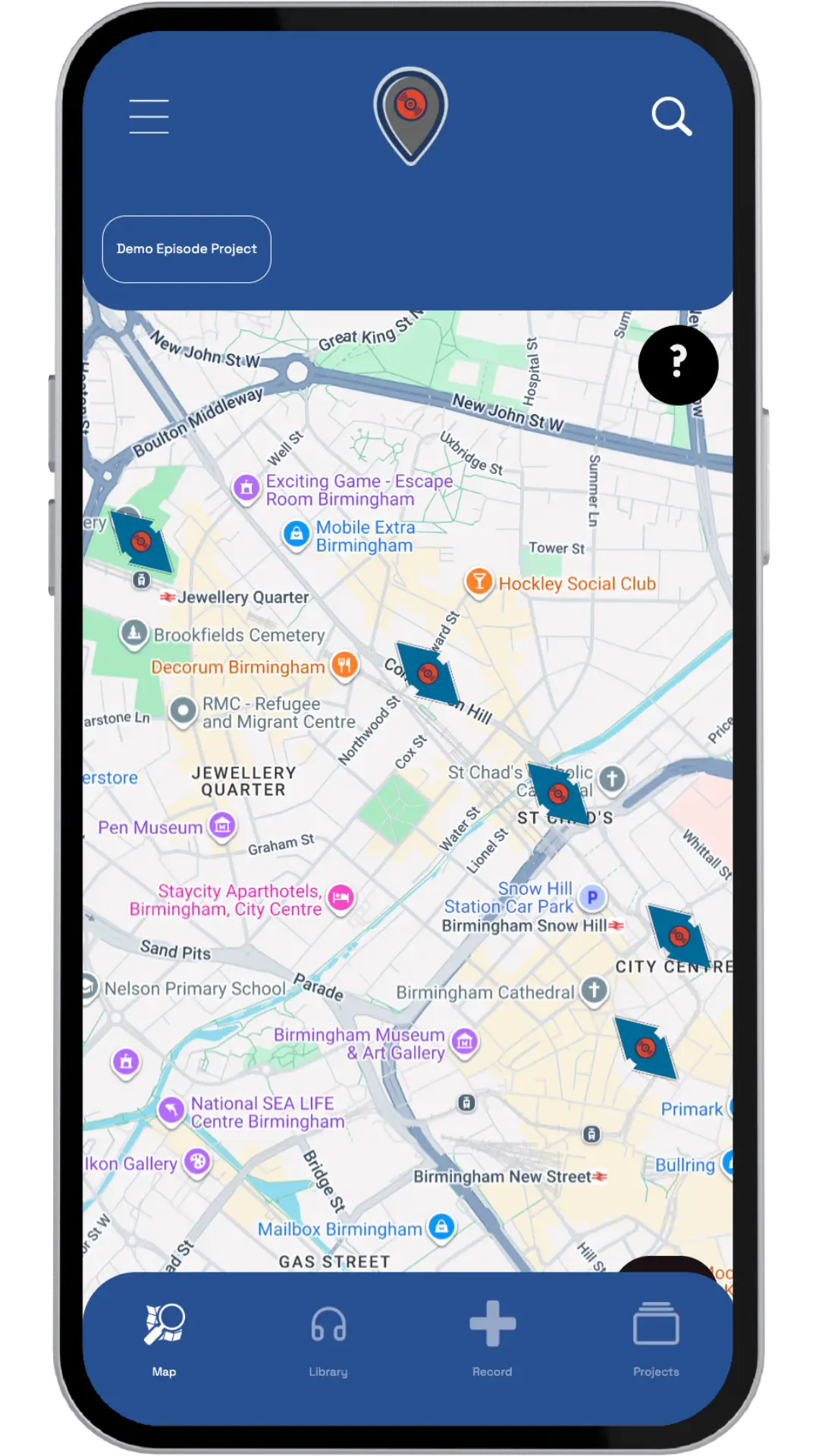
Episodic collection in the OVERHEAR app

Episodic Collection

Key Benefits

Multiple Access Points, Shared Episodes

  • Create multiple pins across your project area
  • All pins share the same episode collection
  • Listeners can visit any pin to collect the next episode
  • Flexible access encourages exploration while maintaining narrative flow

Progressive Audio Delivery

  • Listeners collect episodes in sequence from any pin
  • Each visit unlocks the next episode
  • Create reasons for repeat visits

Flexible Release Schedule

  • Add new episodes over time
  • Respond to audience feedback and interests
  • Keep audio fresh and relevant

Increased Return Visits

  • Episodic structure encourages multiple visits
  • Build habit and routine engagement
  • Create ongoing relationships with your audience

How It Works

  1. Set Up

    Create your project and configure it for episodic collection

  2. Create Pins

    Add multiple pins across your project area (all share the same episode collection)

  3. Add Episodes

    Upload episodes in sequence – they'll be available at all pins

  4. Release

    Listeners can visit any pin to collect the next episode in sequence

  5. Update

    Add new episodes over time to keep audio fresh and encourage return visits

Ideal For

Serialised historical narratives, ongoing educational programmes, seasonal audio series, multi-part tours and experiences, story-driven projects, organisations wanting to build long-term engagement

Getting Started

For Creators

  • Create your project and enable episodic collection mode
  • Add multiple pins across your project area
  • Upload episodes in sequence – they'll be shared across all pins
  • Plan your release schedule to keep audiences engaged
  • Monitor engagement and add new episodes based on feedback

For Listeners

  • Find a project with episodic collection enabled
  • Visit any pin in the project to access episodes
  • Collect episodes in sequence from any pin location
  • Return to any pin to collect the next episode
  • Build a habit of regular visits to collect new audio

Best Practices

Audio Planning

  • Plan your episode series in advance
  • Create a release schedule to maintain engagement
  • Ensure each episode adds value to the overall narrative
  • Consider episode length and pacing

Pin Placement

  • Place pins strategically across your project area
  • Ensure pins are accessible and well-distributed
  • Consider listener movement patterns when placing pins
  • Test that all pins properly share the episode collection

Engagement

  • Release episodes on a consistent schedule
  • Respond to audience feedback and interests
  • Keep audio fresh and relevant
  • Build anticipation for upcoming episodes

Listeners Experience

  • Make it clear that episodes can be collected from any pin
  • Provide clear information about episode sequence
  • Consider adding episode descriptions or previews
  • Make it easy for listeners to track their progress

Common Questions

Can I collect episodes from different pins?

Yes! All pins in an episodic project share the same episode collection. You can visit any pin to collect the next episode in sequence.

Do I need to visit the same pin each time?

No, you can visit any pin in the project. The episode collection is shared across all pins, so your progress is maintained regardless of which pin you visit.

Can I add new episodes after the project is live?

Yes! One of the key benefits of episodic projects is the ability to add new episodes over time. This keeps audio fresh and encourages return visits.

What happens if I miss an episode?

You can collect episodes in sequence, so if you miss one, you'll need to collect it before moving to the next. Your progress is saved, so you can return to any pin to continue.

How many pins can I have in an episodic project?

You can create multiple pins across your project area. All pins will share the same episode collection, giving listeners flexibility in where they access audio.

Need Help?

If you have questions about creating or experiencing episodic projects, we'd love to hear from you.

Email us at hello@theoverhear.app.

Download our app and be moved!

Ready to explore audio stories around you? Our app helps you connect with local projects and discover creative content. Join our community, share your thoughts, and engage with art, culture, and mindfulness. It’s easy, fun, and waiting for you!